What this workflow creates
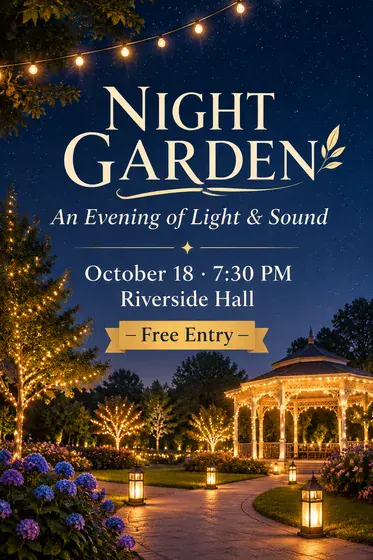
Generate a school event or course poster. This run creates one visual preview. Data calculations, precise typesetting, vectors, and production files still require verification in the appropriate tools.
- Who it’s for
- teachers, students, schools
- What it does
- Generate age-appropriate images and layouts
- Where to use it
- Campus activities, classes
This run creates one visual preview. Data calculations, precise typesetting, vectors, and production files still require verification in the appropriate tools.
What you need
- School emblem, campus characters or original student worksOptional · 0–1 image; multiple references may be combined into one labeled reference board
- Keep the shape of the school badge, the identity of the characters, or the content of the work; you cannot guess school facts from the pictures.
When to provide it: When campus posters need to use the school’s identity, real people or works
- Activity or course name, applicable age, date and participation informationRequired · 1 item
- Define the task facts, scope, and single-image goal for this request
Provide every required input. Add optional inputs only when useful, and mark conditional inputs as applicable only when they apply to this request.
How to use this workflow
Open the generation form
Select “Use this workflow” to see the required inputs. You’ll need to sign in before generating.
Add the required inputs
Prepare: School emblem, campus characters or original student works + activity or course name, applicable age, date and participation information → Generate age-appropriate images and layout → Current single campus poster. Complete every required field, add optional inputs only when useful, and mark each conditional input as applicable or not applicable.
Review text and output settings
Check “Activity or course name, applicable age, date and participation information” for accuracy, then choose the aspect ratio, resolution, and quality that fit this use case. The generation form shows the available options.
Generate and review
Select “Generate image,” then review the result and open the full-size image. Check it against the detailed requirements below. This run creates one visual preview. Data calculations, precise typesetting, vectors, and production files still require verification in the appropriate tools.
Do I need to write a prompt?
No full prompt needed—just complete the required text fields.
Complete “Activity or course name, applicable age, date and participation information” to describe what this request should contain or create. You do not need to write generation instructions. Use the form fields to provide the images, exact copy, data, or description requested by this workflow.
Detailed result requirements
School emblem, campus characters or original student works + activity or course name, applicable age, date and participation information → Generate age-appropriate images and layout → Current single campus poster
Event name, date, location, host, CTA/registration method, branding materials and target dimensions.
Establish a clear information hierarchy and retain white space; prioritize charts and key points for scientific research/conference posters.
Set the output canvas from the selected platform placement or production template, not from a reference image. Choose the option that matches this request: campus poster working canvas — 2:3 (recommended). Use a different ratio only when a verified placement or production template requires it. Use the selected template for final delivery. Use 2:3 only as the recommended working canvas for campus poster when no template is available. Compose the subject with appropriate breathing room. Create one aspect-ratio-specific deliverable per request; generate each additional placement as a separate output. Recompose for the selected ratio while preserving the complete subject, all text, and every required safe area. Never stretch the subject or treat cropping important content as adaptation.
No universal public standard is available. Check the requirements of the platform or service you will use.
No universal public standard is available. Check the requirements of the platform or service you will use.
No universal public standard is available. Check the requirements of the platform or service you will use.
No universal public standard is available. Check the requirements of the platform or service you will use.
All names, times, locations, QR codes and contact information must be manually proofread verbatim.
No universal public standard is available. Check the requirements of the platform or service you will use.
Printing priority PDF Print 300dpi and set bleed/crop marks according to the printing factory; digital publishing will also export PNG/JPG.
If there are no target channel/printer specifications, common sizes cannot be regarded as hard specifications.
Official and platform requirements
No universal public standard is available. Check the requirements of the platform or service you will use.
FAQ
What can I create with this workflow?
Generate a school event or course poster. This run creates one visual preview. Data calculations, precise typesetting, vectors, and production files still require verification in the appropriate tools.
Do I need to write a prompt?
Complete “Activity or course name, applicable age, date and participation information” to describe what this request should contain or create. You do not need to write generation instructions. Use the form fields to provide the images, exact copy, data, or description requested by this workflow.
What do I need to upload?
“School emblem, campus characters or original student works”: 0–1 image; multiple references may be combined into one labeled reference board; optional (When campus posters need to use the school’s identity, real people or works). JPG, PNG, and WebP are supported, up to 10 MB per image.
What does one generation produce?
This run creates one visual preview. Data calculations, precise typesetting, vectors, and production files still require verification in the appropriate tools.
Common search terms
Public evidence and sources
2 directly relevant public sources have been found, and 5 types of specific constraints have been extracted. The following content only restates information that appears clearly from the source; no filling in of blank fields will be made.